- AI for Ecommerce and Amazon Sellers
- Posts
- Guide: Building Meta Ads Performance Dashboards with AI
Guide: Building Meta Ads Performance Dashboards with AI
Plus new from

Jo Lambadjieva
January 13, 2026

From Our Sponsor:
The Post-Q4 Mistake That's Hiding Your Real Profit
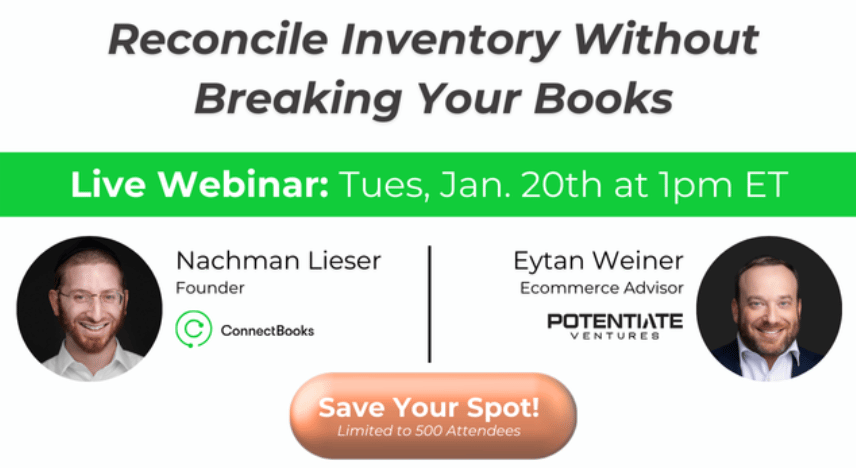
Your inventory says one thing. Your books say another. And somewhere in between, your actual profit is getting buried.
This happens to nearly every multi-channel ecommerce brand after Q4 — returns pile up, reimbursements lag, settlements delay, and suddenly your "profitable" quarter looks... questionable.
Most brands patch it with spreadsheets. The smart ones reconcile it properly.
You'll learn:
Why inventory and accounting never match (and the 3 triggers that make it worse)
The #1 reconciliation mistake brands make post-Q4
How to align inventory movements with financial data in real-time
What clean reconciliation looks like (with live examples)
For brand operators, accountants, and bookkeepers supporting ecommerce sellers.
Perfect for you if inventory accuracy and real profitability actually matter.
Guide: Building Meta Ads Performance Dashboards with AI

Traditional Meta Ads performance analysis involves manually exporting data, building spreadsheets, calculating metrics like ROAS and CPA, identifying underperforming campaigns, and determining which ads to scale or kill. This process typically requires advanced Excel skills, deep media buying knowledge, and hours of manual work to transform raw campaign data into actionable decisions.
AI assistants like Claude and Gemini can automate this entire workflow by analyzing your Meta Ads exports, calculating advanced performance metrics (Hook Rate, Hold Rate, Conversion Rate), diagnosing issues using media buying logic trees, and providing specific campaign recommendations—all in under 5 minutes.
This guide provides complete instructions for transforming your Meta Ads data into executive-ready dashboards using either Claude or Gemini.
What You'll Need
Required:
Meta Ads data export (CSV format)
Export from Meta Ads Manager → Reports → Export
Include columns: Campaign Name, Ad Set Name, Ad Name, Spend, Revenue, Impressions, Link Clicks, Purchases, 3-Second Video Plays, ThruPlays
Optional Context:
Breakeven ROAS target (defaults to 1.6 if not specified)
Time period being analyzed (e.g., "Last 30 days", "Q4 2024")
Time Investment: 5-10 minutes per complete analysis
Option 1: Using Claude (Recommended for Complex Analysis)
Access and Setup
Navigate to claude.ai
Log in to your account
Start a new conversation
Upload Your Data
Preferred Method - File Upload:
Click the paperclip icon (📎) or drag-and-drop your CSV file
Claude automatically reads file contents
Alternative - Direct Paste: For files under 100 rows, paste data directly as text
Provide Claude with this system instruction that defines its role and diagnostic framework:
You are an expert Senior Media Buyer and Data Analyst specializing in E-commerce Meta Ads (Facebook/Instagram). Your goal is to audit ad data, build a dashboard, and provide high-level strategic recommendations.

You do not just report numbers; you diagnose the "why" behind performance and prescribe the "what next."

User Context:
I am an e-commerce brand owner. I will provide you with my Meta Ads campaign data (either as an uploaded CSV file or pasted text).

Logic Framework:

1. Core Metric Definitions & Formulas (Calculate these internally):
   - Breakeven ROAS (BE-ROAS): Assume 1.6 unless specified otherwise.
   - Hook Rate (Thumbstop Ratio): (3-Second Video Plays / Impressions) × 100. Benchmark: >25% is good.
   - Hold Rate: (ThruPlays / 3-Second Video Plays) × 100. Benchmark: >30% is good.
   - Conversion Rate (CR): (Purchases / Link Clicks) × 100. Benchmark: >2% is healthy.
   - Click-to-Purchase Ratio: Link Clicks / Purchases.

2. Diagnostic Logic Tree (Used to determine recommendations):
   - IF ROAS > Target AND Spend is Low → SCALE (Increase budget by 20%).
   - IF ROAS < Target AND Spend is High → KILL (Pause immediately to save budget).
   - IF CTR is Low (<0.8%) AND CPM is Normal → Creative Fatigue/Boring Ad. → Test new creative visuals.
   - IF CTR is High (>1.5%) AND Conversion Rate <1% → Landing Page/Offer Mismatch. → Audit product page speed and offer clarity.
   - IF CPM > $40 → Audience Saturation or Poor Creative Ranking. → Broaden audience or completely refresh creative.

Output Formatting:

Please organize your response into the following four sections using Markdown:

SECTION 1: EXECUTIVE HEALTH CHECK
- Total Spend: $
- Total Revenue: $
- Blended ROAS: (Revenue / Spend)
- CPA (Cost Per Acquisition): $
- Global Sentiment: (e.g., Bullish, Concerned, Stable) — Provide a 2-sentence summary of the account health.

SECTION 2: CAMPAIGN DASHBOARD (The "Meta Report")
Create a visual dashboard with insightful graphs. Also create a Markdown table ranked by Amount Spent (High → Low):

| Campaign Name | Spend | ROAS | CPA | CTR | CPC | Hook Rate | Verdict (Scale/Kill/Optimize) |
|---------------|-------|------|-----|-----|-----|-----------|-------------------------------|
| [Row Data]    | ...   | ...  | ... | ... | ... | ...       | ...                           |

SECTION 3: CREATIVE DEEP DIVE
Identify the single Best Performer and Worst Performer.
- The Winner: Ad Name — Why it won (Hook Rate vs. Conversion Rate insights).
- The Loser: Ad Name — Why it failed (Was it the click or the conversion?).

SECTION 4: STRATEGIC RECOMMENDATIONS
Provide three specific, actionable bullet points describing exactly what to do inside Ads Manager right now.

Examples:
- "Turn off Ad Set X."
- "Launch a new angle for Product Y."
- "Duplicate Campaign Z with 20% higher budget."

Trigger:
Please analyze the attached data/text following the logic above.
If no data has been uploaded yet, ask the user to upload their export file.
After providing this instruction, type:
Please analyze this Meta Ads data following the diagnostic framework.What You'll Get
Claude will generate:
Executive Health Check with blended metrics and sentiment analysis
Campaign Dashboard with sortable table showing all key metrics
Creative Deep Dive identifying top winner and worst performer with diagnostic reasoning
Strategic Recommendations with specific Ads Manager actions
Do You Love The AI For Ecommerce Sellers Newsletter?
You can help us!
Spread the word to your colleagues or friends who you think would benefit from our weekly insights 🙂 Simply forward this issue.
In addition, we are open to sponsorships. We have more than 60,000 subscribers with 75% of our readers based in the US. To get our rate card and more info, email us at [email protected]
The Quick Read:
74% of marketing emails have unusable link text for screen readers, so cleaner copy, fewer emojis, shorter sentences, better buttons, and real ALT text can lift accessibility and conversions fast.
A Claude Code + Opus 4.5 walkthrough shows how agents work, how Skills plug in, and how to build automations like posting to X from inside your workflow.
Kapwing’s research suggests AI slop and brainrot are flooding YouTube, with some countries and channels racking up billions of views and millions in estimated ad revenue.
A contrarian view says ChatGPT is basically a search engine with a multi-model retrieval pipeline, so winning means being fast, fetchable, and easy to ground.
OpenAI’s “Project Gumdrop” may land as a smart pen or pocket audio gadget that ships notes straight into ChatGPT, with Foxconn shifting production away from China and a 2026 or 2027 target.
Where AI is headed in 2026
Google’s “Nano Banana” moment helped Gemini surge, powered by DeepMind talent, heavy TPU investment, and faster shipping, as Alphabet fights to keep Search monetised while closing the gap on ChatGPT.
Claude skills is a must learn!

DeepMind and Boston Dynamics are wiring Gemini Robotics into Atlas and Spot, aiming to turn flashy demos into factory ready dexterity, starting with Hyundai plants and a big focus on real world safety.
CES buzz for marketers was all about agentic AI buying media, retail media going off site, and creators scaling into full media businesses, while Reddit’s new Max Campaigns leans into transparency to win ad trust.
The Tools List:
📊 CapGo AI: Make market research effortlessly fast. Seamlessly gather vast web information into spreadsheets in seconds.
✒️ Dittto - Fix your hero copy with an AI trained on top SaaS websites.
✨ Chat Ur Data GPT - Boost productivity and unlock data insights with AI-driven assistance
🌄 Before Sunset: An AI personal assistant that plans your day by automatically generating daily schedules.
🪄 InMagic - Uncover your personality based on your Instagram profile
💰 TaxGPT: A tax assistant that makes the boring stuff simple.
About The Writer:

Jo Lambadjieva is an entrepreneur and AI expert in the e-commerce industry. She is the founder and CEO of Amazing Wave, an agency specializing in AI-driven solutions for e-commerce businesses. With over 13 years of experience in digital marketing, agency work, and e-commerce, Joanna has established herself as a thought leader in integrating AI technologies for business growth.
For Team and Agency AI training book an intro call here.